Glass, measured once. Proofs, cut files and install sheets from it.
Build each storefront, office front and door from real sizes, heights from the floor. Pick films from your own library and place them as bands, strips or full panes, on either face of the glass.
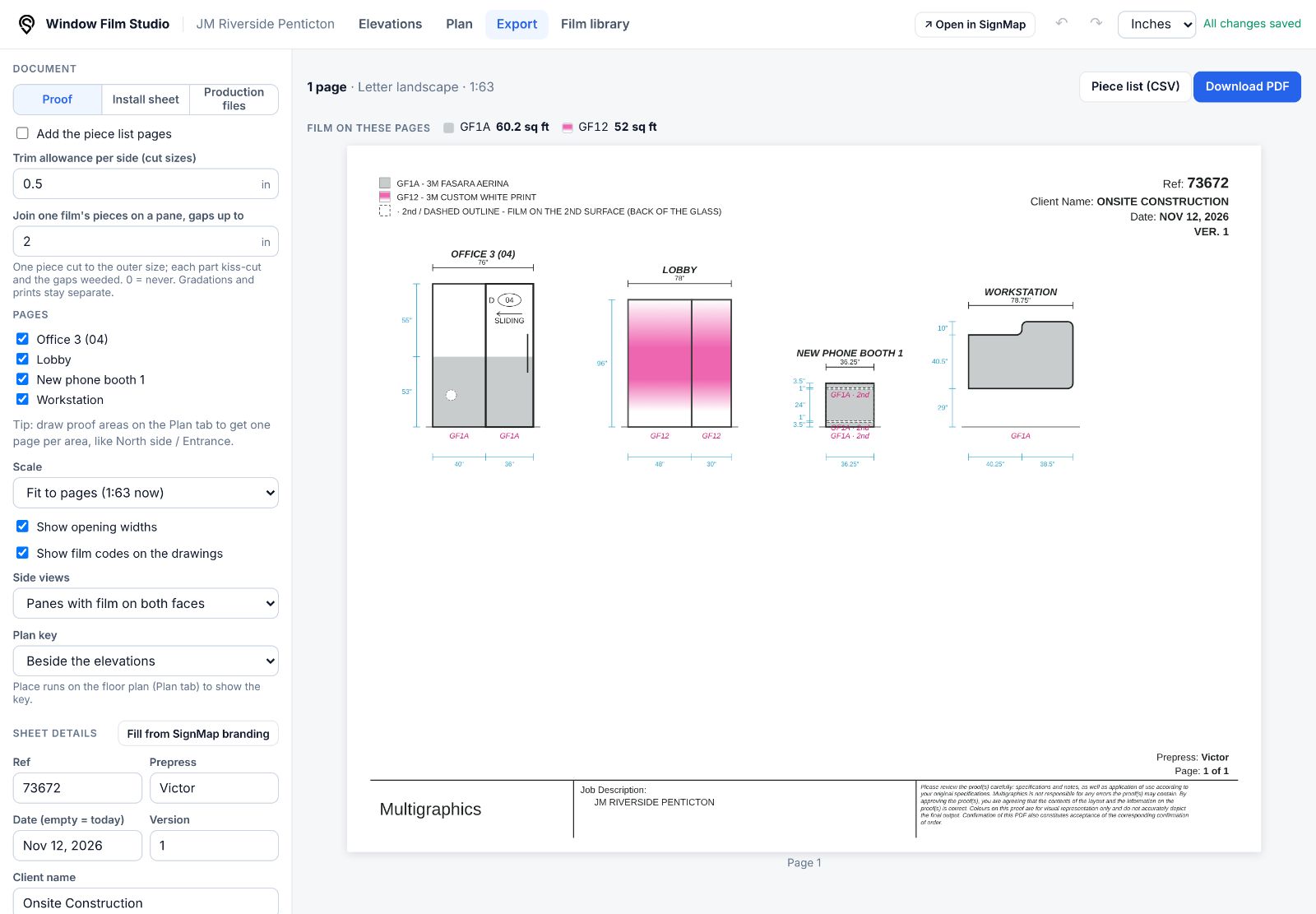
Every pane, door and film at real size.
Fixed panes, hinged and sliding doors, mullions, corner returns and custom shapes with rounded corners. Films go on as full panes, bands between two heights, edge strips or with a margin, and cut-outs come off the film and its area.
3M Fasara, LLumar, Madico… with your codes.
Keep your own library of films once and use it in every project. Teammates see the same drawings, because each project keeps a copy of the films it uses.
Your codes on drawings
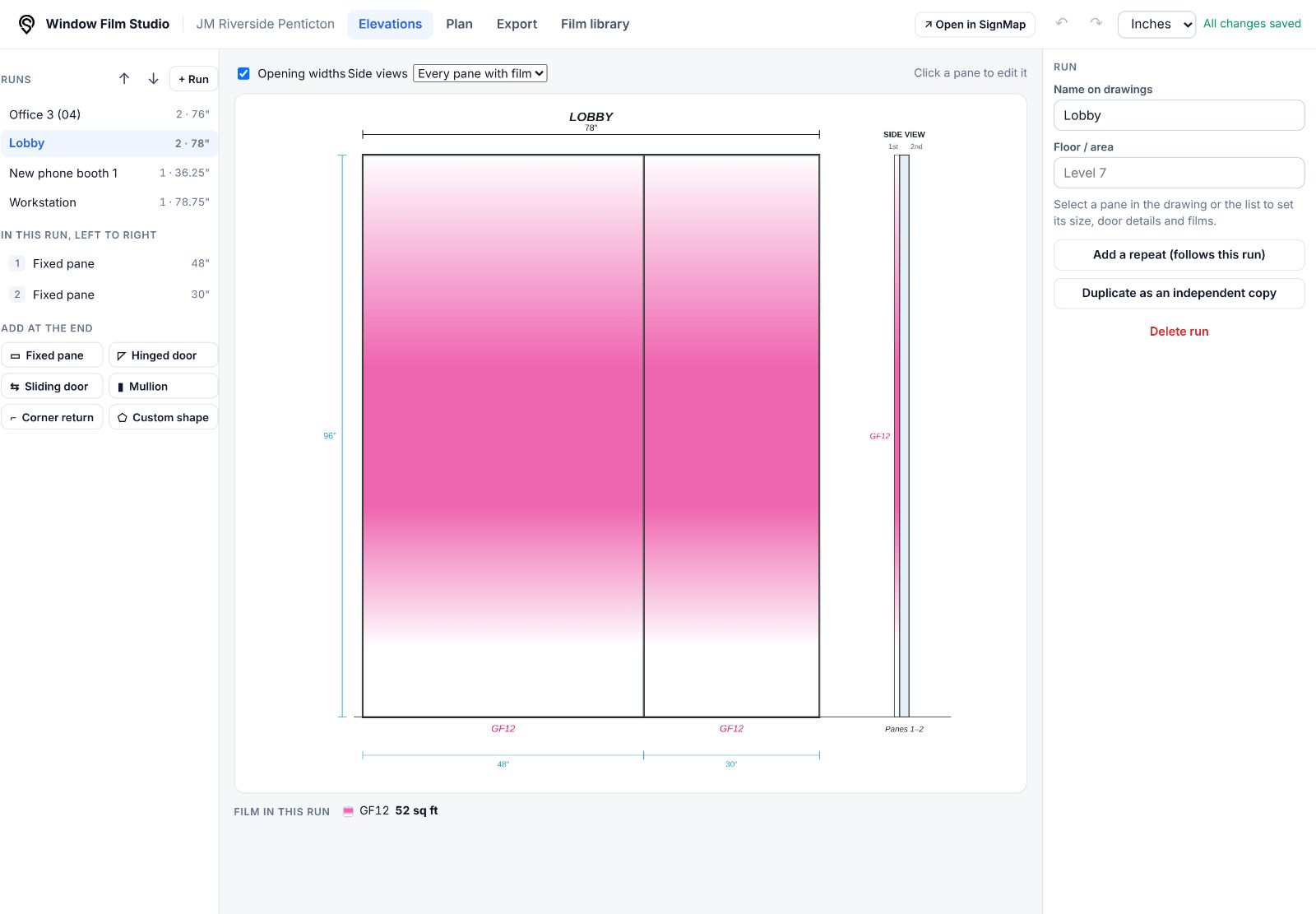
GF1A, GF12… the code you set is what appears on elevations, legends and piece lists.
Real-size patterns
Upload a pattern tile (PNG, JPEG or SVG) with its real size, and drawings show it at true scale.
Printed and gradient films
Flat colours, gradations, or printed white with any number of opacity stops and an optional printed length.
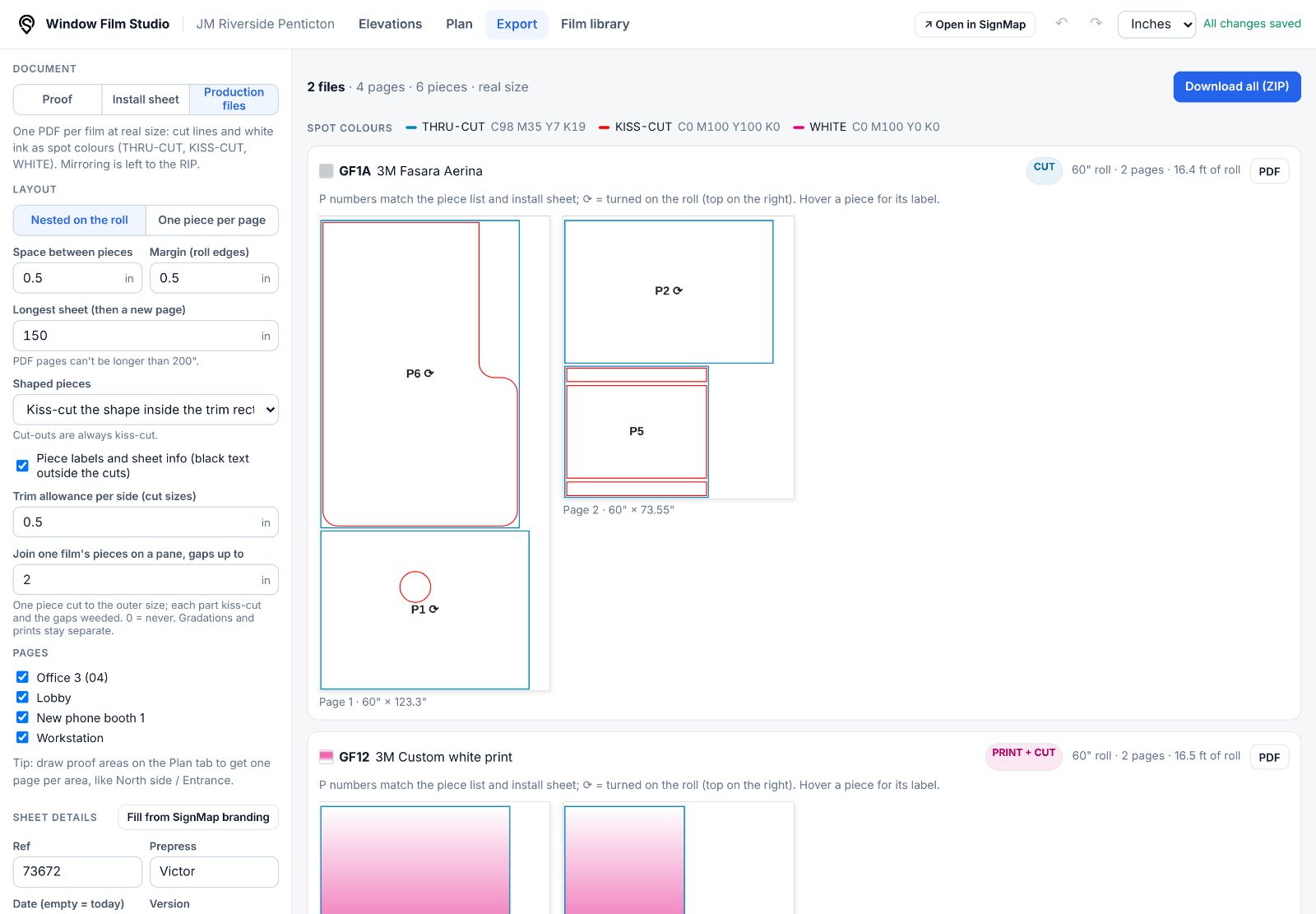
Real-size PDFs your RIP and cutter understand.
One PDF per film, every piece at 1:1, nested on the roll or one per page. Cut lines and white ink are named spot colours: THRU-CUT at trim size, KISS-CUT for shapes, cut-outs and the gaps to weed, WHITE for printed films with tint = opacity.